
ES6 学习笔记(十二)代理器Proxy的简单使用
1、前言
以前在学习react时做了个仿手机端的QQ音乐项目。当时的数据是通过proxy代理的QQ音乐数据接口,直接写在package.json里面。Proxy 对象(Proxy)是 ES6的特性,只是不太常用。
2、基本内容
2.1 含义
正如MDN上所说,Proxy 对象用于创建一个对象的代理,从而实现基本操作的拦截和自定义(如属性查找、赋值、枚举、函数调用等)。
通俗的讲,Proxy是目标对象的一个代理器。即:在目标对象之前架设一层“拦截”,外界对该对象的访问都必须先通过这层拦截,因此提供了一种机制,可以对外界的访问进行过滤和改写
2.2 语法
1 | // 直接通过new Proxy实例一个代理对象 |
其中,new Proxy()表示生成一个Proxy实例,target参数表示所要拦截的目标对象,handler参数也是一个对象,用来表示拦截行为。
常见的拦截项属性:
| 属性 | 作用 |
|---|---|
| has | 拦截 in 操作。比如,你可以用它来隐藏对象上某些属性。 |
| get | 来拦截读取操作。比如当试图读取不存在的属性时,你可以用它来返回默认值 |
| set | 用来拦截赋值操作。比如给属性赋值的时候你可以增加验证的逻辑,如果验证不通过可以抛出错误。 |
| apply | 用来拦截函数调用操作。比如,你可以把所有的函数调用都包裹在 try/catch 语句块中 |
| ownKeys | 用于拦截Object.getOwnPropertyNames 方法和 Object.getOwnPropertySymbols 方法 |
更多的拦截项见MDN
举个例子:
1 | let obj = new Proxy( |
输出结果:
setting count
getting count
setting count
{ count: 2 }
注意:
要使Proxy起作用,就要对Proxy实例进行操作而不是针对目的对象进行操作,如:
1 | // 代理包围需要代理的对象 |
输出结果:
22
22
1 | // 需要代理的对象的反包围(委托) |
输出结果:
getting a
Not Found
2.3 实例
2.3.1 实例1 对象属性的拦截
同一个拦截器对象,可以设置拦截多个操作,如:
1 | let handler = { |
输出结果:
1
{ name: ‘foo’, value: 2 }
true
Hello,foo
2.3.2 实例2 实现数组或对象通过负索引值获取相应值
1 | function createArray(...elements) { |
输出结果:
c
{ name: ‘Tom’, age: 22 }
get的receiver参数,总是指向原始的读操作所在的那个对象,一般情况下就是 Proxy 实例
2.3.3 实例3 实现生成 DOM 节点的通用函数dom
dom.html
1 |
|
dom.js
1 | const dom = new Proxy({}, { |
运行结果: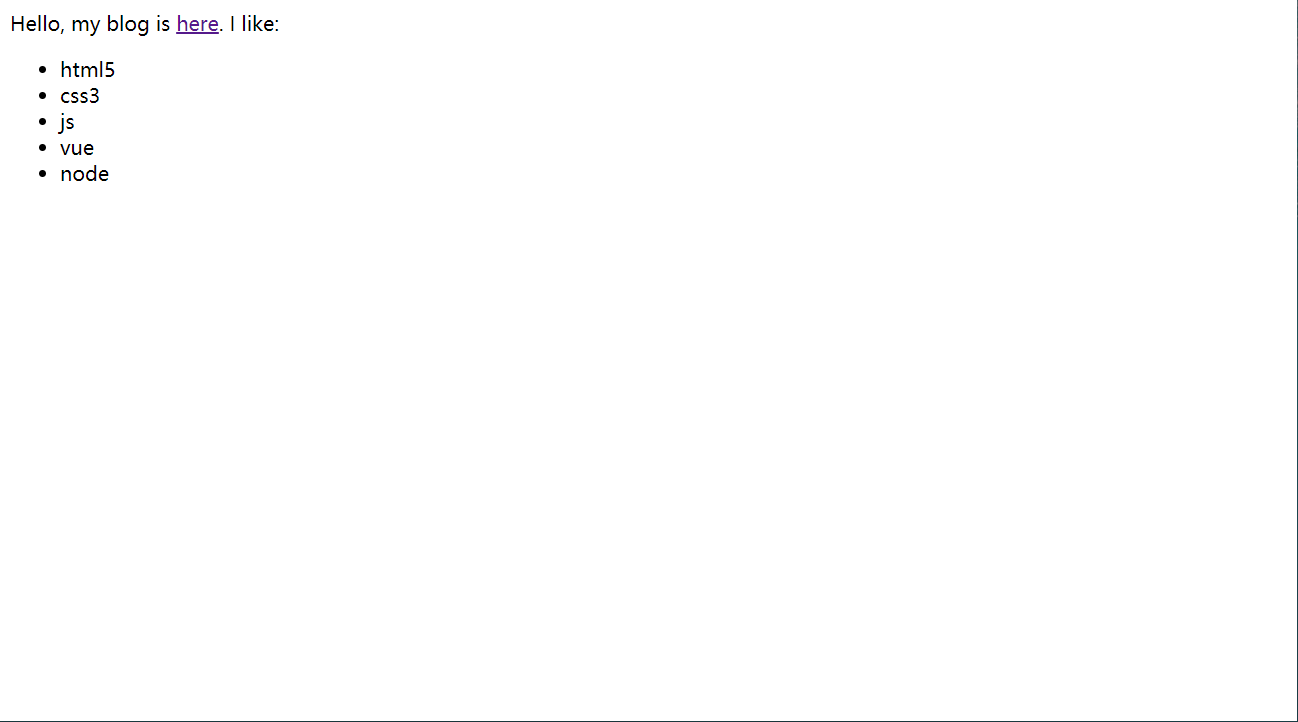
本博客所有文章除特别声明外,均采用 CC BY-NC-SA 4.0 许可协议。转载请注明来源 如诗!
相关推荐
2025-07-06
ES6 学习笔记(三)原始值与引用值
总结:1、原始值,表示单一的数据,如10,“abc”,true等。 1.1 ES的6种原始值: Undefined、Null、Boolean、Number、String、Symbol 1.2 保存原始值的变量是按值访问,操作存储在变量内存中的实际值 2、引用值,表示有多个值(原始值或其他引用值)构成的对象2.1 ES不允许直接访问对象的内存空间。2.2 实际操作对象时,访问的是保存对象的内存地址,即该对象的引用。 3、动态属性3.1 原始值是不可改变的。3.2 引用值(对象)可以随时添加、修改和删除它的属性和方法。如: 123456let person = new Object();person.name = "小明";person.sayhello= function () { console.log("Hello, I'm " + this.name);};console.log(person) 运行结果:{ name: ‘小明’, sayhello: [Function (anonymous)] ...
2025-07-06
ES6 学习笔记(十三)promise的简单使用
1、什么是promise在JavaScript中,我们经常会用到回调函数,而回调函数的使用让我们没法使用return,throw等关键字。JS引用promise正好解决了这个问题。promise单词意思是承诺,代表未来的某个事情或者是行为。promise是一个容器,包含了异步操作。因此我们认为promise是异步操作的解决方案。所有异步操作都可以通过promise来解决 2、了解promise上面说到promise是一个容器,那我们先在控制台打印一下。可以看到,Promise是一个构造函数,自身就有all、reject(代表失败的回调函数, 失败的操作)、resolve(代表成功的回调函数, 成功的操作)这几个于我们而言比较眼熟的方法,原型上有then、catch等同样很眼熟的方法。这么说用Promise new出来的对象肯定就有then、catch方法。 2.1、promise对象的特点 Promise对象的状态不受外界影响。包含pending(进行中)、fulfilled(已成功)和rejected(已失败)三种状态。只有异步操作结果才可决定是哪种状态,其他任何操作都无法改变...
2025-07-06
ES6 学习笔记(十一)迭代器和生成器函数
1、前言JavaScript提供了许多的方法来获取数组或者对象中的某个元素或者属性(迭代)。从以前的for循环到之后的filter、map再到后来的for…in和for…of的迭代机制。只要具有iterator接口的都可被迭代。 2、迭代器 Iterator2.1 含义迭代器(iterator)为各种数据结构,提供一个统一的、简便的访问接口,简单的说,迭代可以是数组或对象的遍历方式。它使得数据结构的成员能够按某种次序排列,如上面所说,只要部署 Iterator 接口,就可以完成遍历操作。即依次处理该数据结构的所有成员。 2.2 工作过程 首先,创建一个指针对象,指向当前数据结构的起始位置。也就是说,遍历器对象本质上,就是一个指针对象。 第一次调用指针对象的next方法,可以将指针指向数据结构的第一个成员 第二次调用指针对象的next方法,指针就指向数据结构的第二个成员,以此类推。 不断调用指针对象的next方法,直到它指向数据结构的结束位置 2.3 Symbol.iterator属性2.3.1 简介ES6 规定,默认的 Iterator 接口部署在数据结构的Symbol.ite...
2025-07-06
ES6学习笔记(七)正则表达式
正则表达式1、基础1.1 含义:通俗的来讲,正则表达式是一种匹配和替换的工具。如:在JS中验证手机号时,我们需要考虑用户输入的字符必须是number类型,且必须是11位的整数,且数字的前三位必须是134,155,183,188,199等等。对于这一问题,可以用if-else来实现,只不过太过于麻烦,而正则表达式就将这一问题简单化。 1.2 组成部分一个完整的正则表达式由分隔符,表达式,修饰符三部分组成。分隔符指的是除了特殊字符以外的任意字符表达式指的是由一些特殊字符以及非特殊字符串组成修饰符用于开启或关闭某些功能举个例子: 1234let str = "1a2b3c4d5e6"let reg = /[abcdef]/g// 这里表示匹配abcdef这一类的字符,匹配成功就用-进行替换console.log(str.replace(reg, '-')); // 1-2-3-4-5-6 其中,reg中的第一个/是分隔符,两个/之间的[abcef]是表达式,g是修饰符,表示全局匹配。常见的修饰符还有i表示忽略字母大小写,m表示...
2025-07-06
ES6 学习笔记(五)基本类型Boolean
Boolean1、需要注意的地方: 取值:true false 对于值为空字符串,0,-0,NaN,Null,undefined,false的布尔对象,它都会有一个初始值false。对于其它的值如”false”,[]等都会建立一个初始值是true的对象。 不能把基本类型中true或false和值为true或false的对象搞混淆了。 2、Boolean 的转化:1、使用Boolean( )转换,不要使用new Boolean()方式转换12345var a = "123"var x = Boolean(a);var y = !!(a); console.log(x); // trueconsole.log(y); // true 2、 隐式转换12345678910111213let x = 100;let y = null;let z;if (x) { console.log(x);}if (y != null) { console.log(y);}if (z) { console.log...
2025-07-06
ES6 学习笔记(六)基本类型String
字符串String1、字面量需要注意的地方: 由单引号或双引号括起来的字符序列。 单双引号可以嵌套,由最外围引号定界字符串 字符串字面量可以拆分成数行,每行必须以反斜线(\)结束,且反斜线都不计入字符串的内容。 在书写HTML的JS代码时,要注意与HTML代码混合搭配使用引号。 实例代码: 12345let str1 = "I have a dog"let str2 = "My 'dog' likes \eating meat"console.log(str1) // I have a dogconsole.log(str2);// My 'dog' likes eating meat 1<button onclick="alert('hello')"></button> 2、转义字符 类型 描述 \’ 单引号 \” 双引号 \n 换行 \r 回车 \ 反斜线 \xA9 十六进制数表示Latin-1编...
评论