

对于python中“FileNotFoundError: [Errno 2] No such file or directory”的解决办法
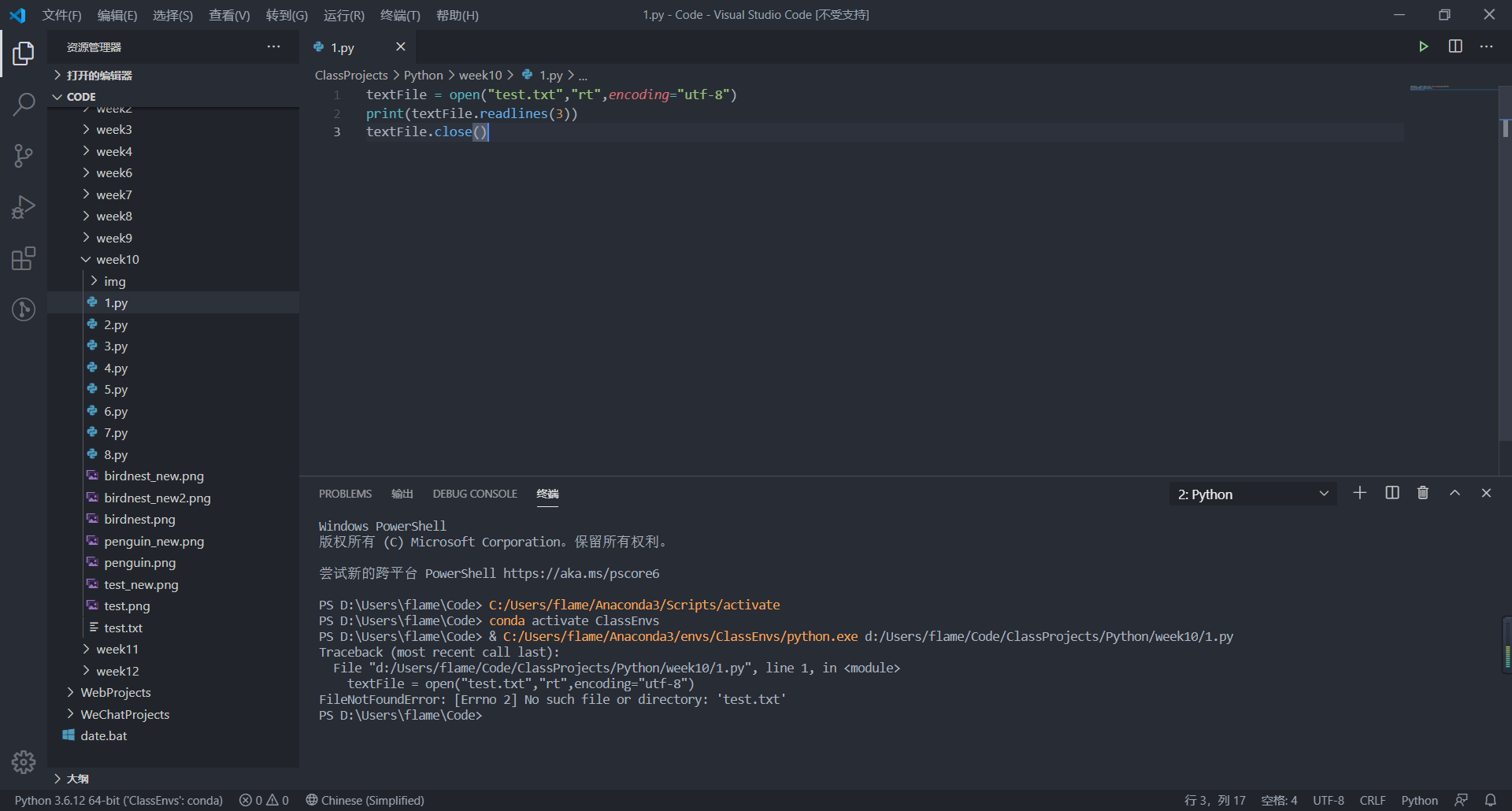
一、出现原因:这里是由于Vscode中,python里的路径是相对与工作目录来进行定位的。所以在多级目录情况下,若不设置绝对路径,往往找不到相应的文件的。
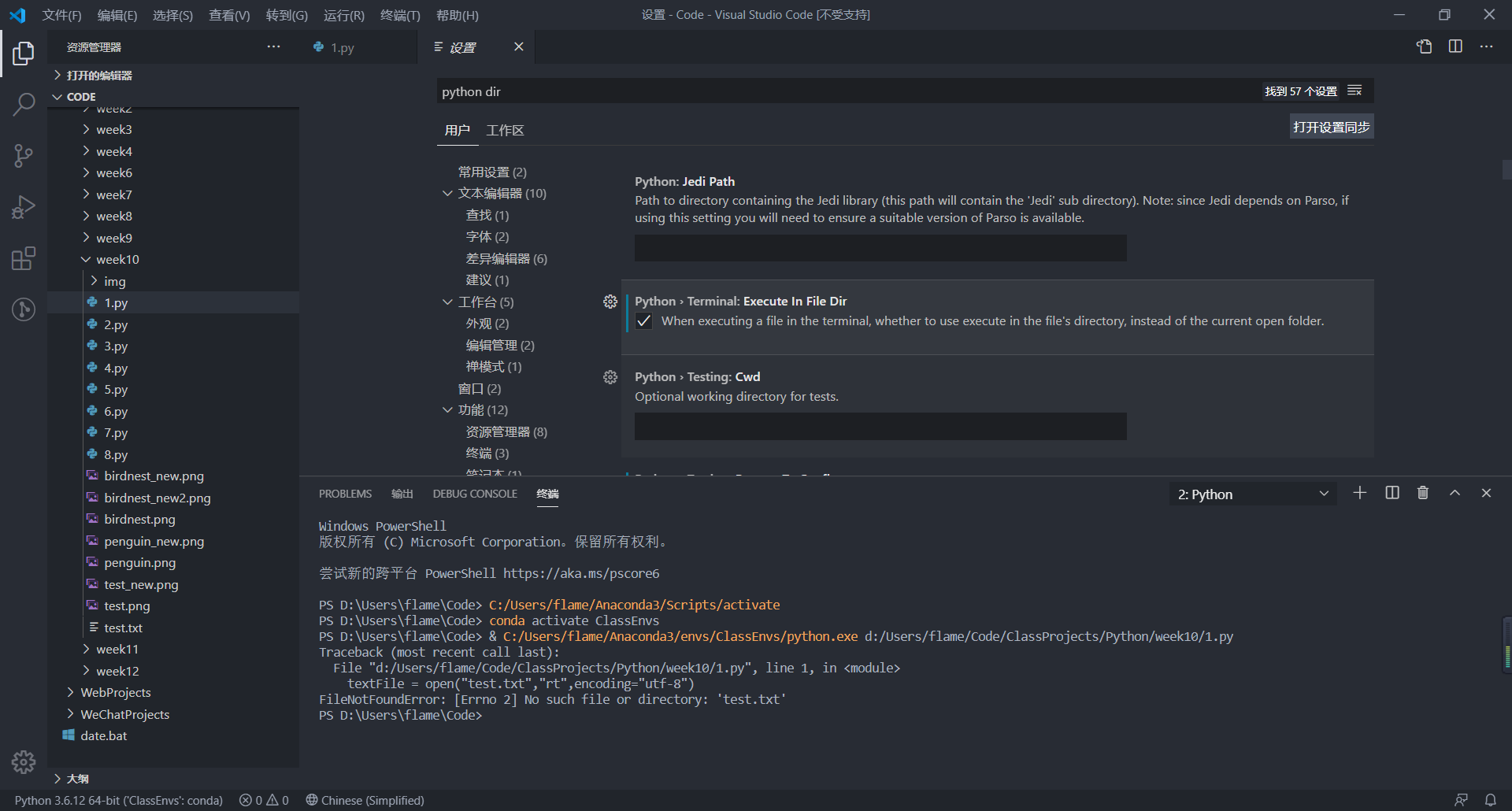
二、解决办法:首先打开左下角的设置按钮,在方框中输入python dir,回车,找到python这一栏,打开,勾选上"Execute In File Dir"即可。或者在setting.json中输入:"python.terminal.executeInFileDir": true也可以。
如下图:
运行结果:
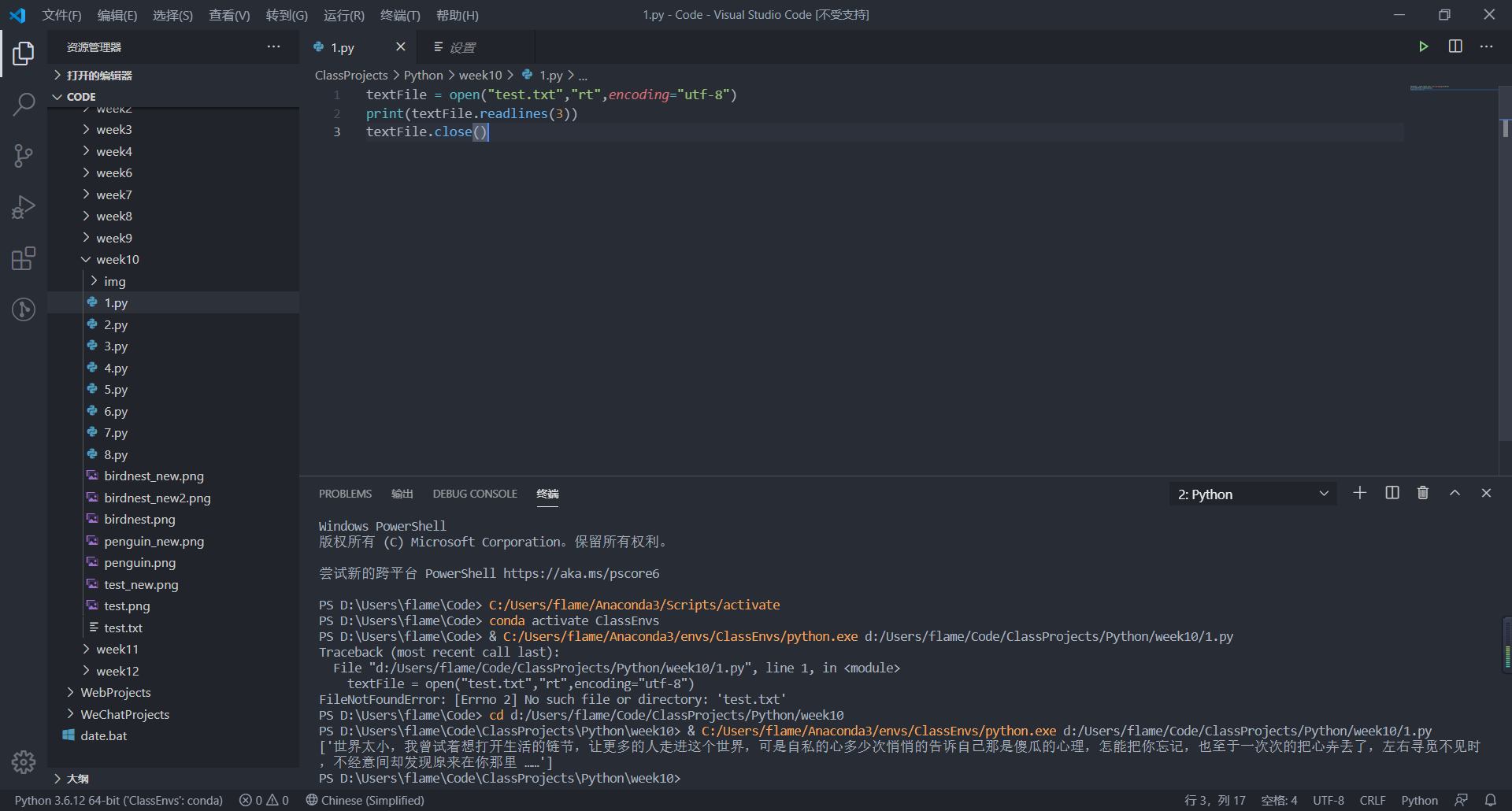
一切正常,也没有刚才的提示了。